> For the complete documentation index, see [llms.txt](https://docs.sia.tech/llms.txt). Markdown versions of documentation pages are available by appending `.md` to page URLs; this page is available as [Markdown](https://docs.sia.tech/store-your-data/setting-up-indexd/transferring-siacoins.md).
# Transferring Siacoins
Whether you're funding your node's wallet or sending Siacoins to an exchange, you can transfer Siacoins (SC) through the UI. Funding the wallet is a required step when self-hosting [`indexd`](/store-your-data/setting-up-indexd.md), whose wallet pays storage providers for the contracts it forms on your behalf.
{% hint style="info" %}
The screenshots below show the `renterd` UI, but the wallet send and receive flow is the same in the `indexd` and `walletd` UIs.
{% endhint %}
## Sending Siacoins
Go to `renterd`. If you're asked to unlock the UI, use your custom password if you've set one. If you haven't got a wallet set up in `renterd`, visit our [Setting up `renterd`](/store-your-data/setting-up-renterd.md) guide; otherwise, choose from the sidebar **Wallet**.
### Setup your transaction
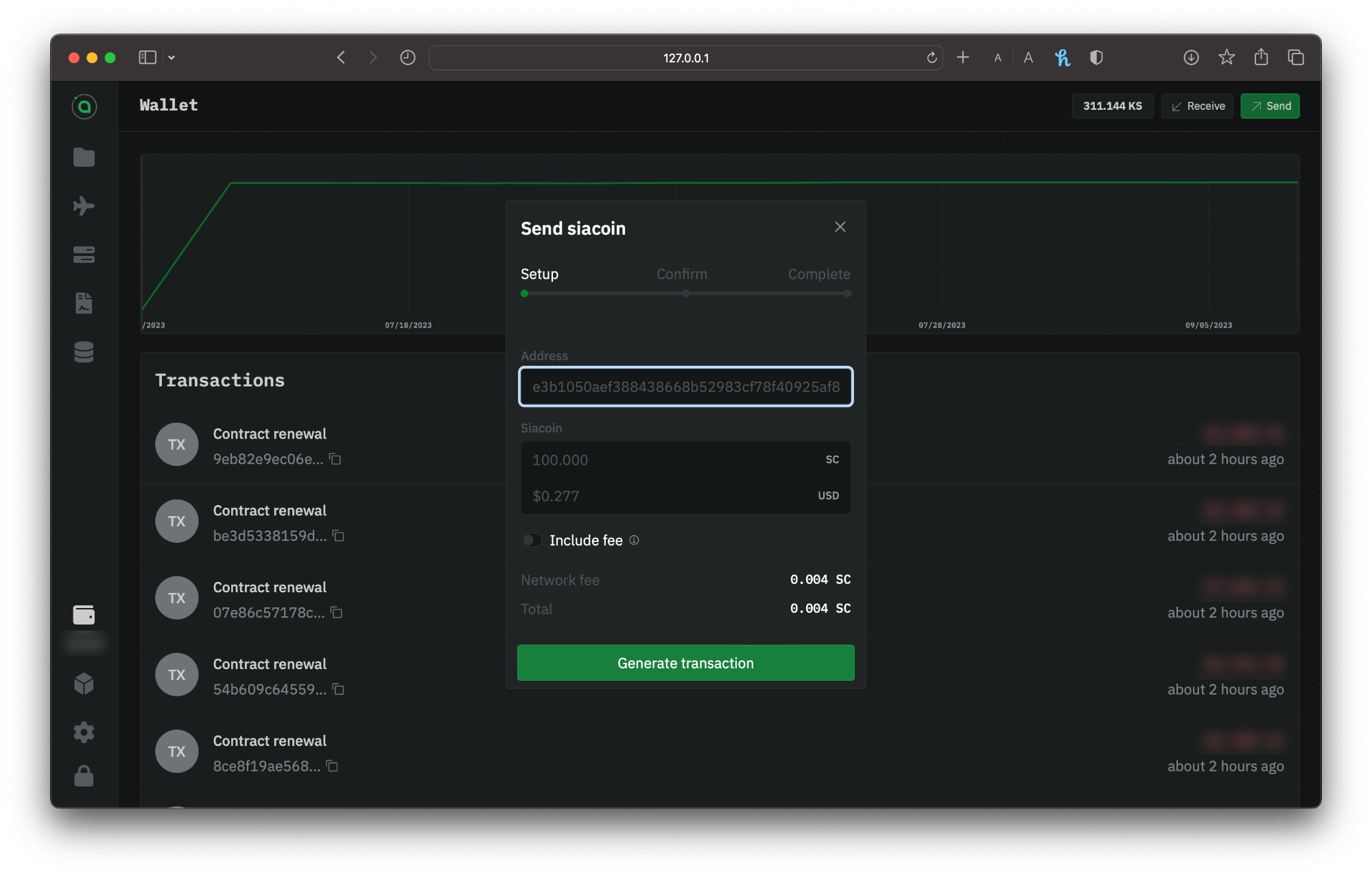
Click on the `Send` button. Enter the recipient's wallet address and the amount of Siacoins you want to send.
Sending Siacoins via renterd
{% hint style="warning" %}
Siacoins sent to mistyped addresses or addresses of other types of cryptocurrency can not be retrieved.
{% endhint %}
Click **Generate Transaction.**
### Confirm your info
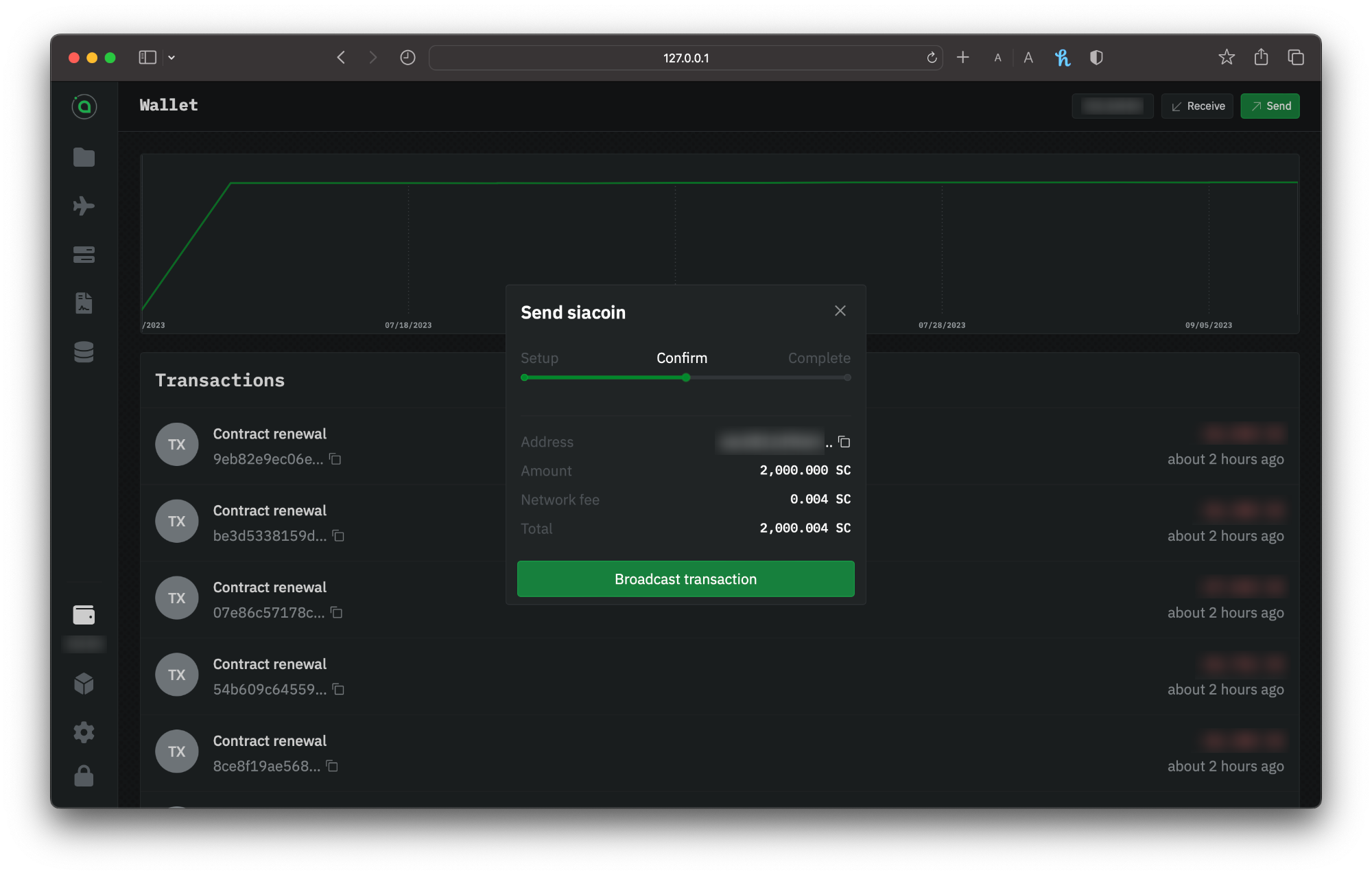
Next, you need to confirm everything. You'll have a chance to double-check the amount and recipient address. The window will also show you estimated network fees.
Confirming your transaction
Click **Setup** to change something. If it's all good, click **Broadcast transaction**.
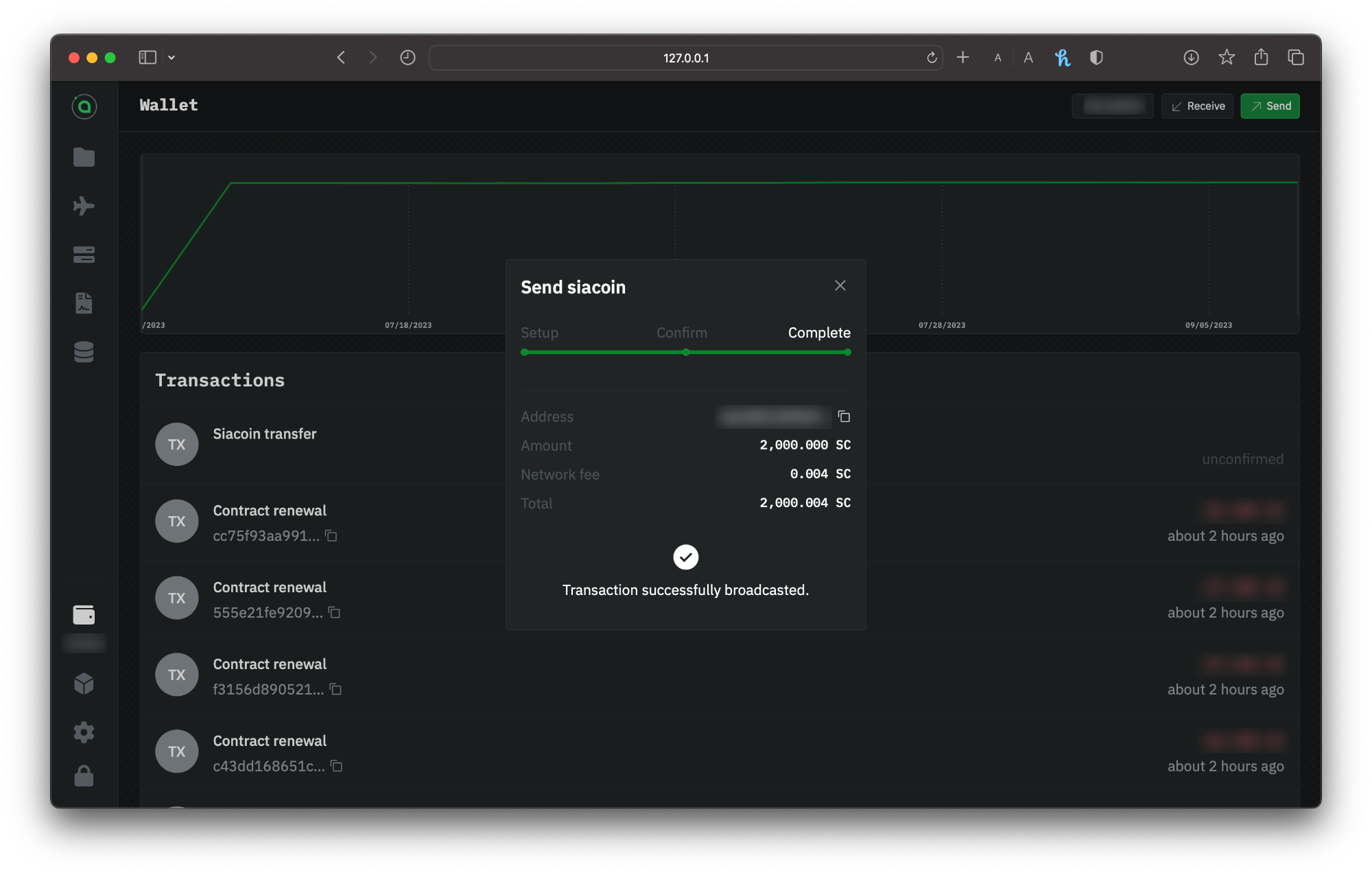
Confirmation of a successful transaction broadcasted
You'll immediately get a confirmation that your transaction has been successfully broadcasted.
### Checking the status
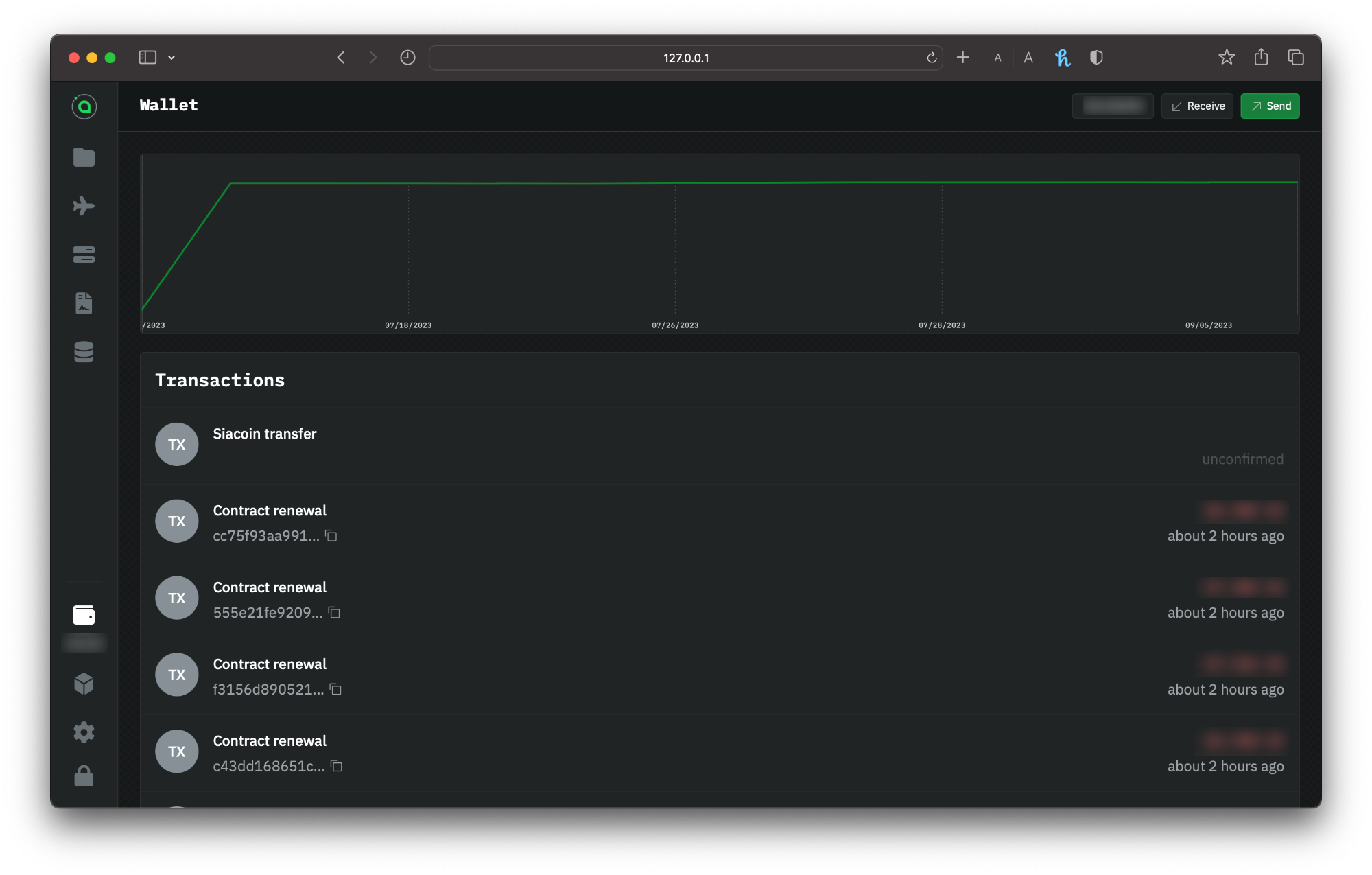
By looking at the transactions in the **Wallet** section of the UI. It's normal to see **Unconfirmed** as the latest transaction, which means the transaction is on its way but hasn't yet appeared in a block.
renterd wallet transaction list
{% hint style="info" %}
The transaction might take a minute or two to appear in the wallet's transactions list.
{% endhint %}
Once it's in a block, you can check the status and see a new transaction type of **siacoin transfer**.
## Receiving Siacoins
Go to `renterd`. If you're asked to unlock the UI, use your custom password if you've set one. If you haven't got a wallet set up in `renterd`, visit our [Setting up renterd](/store-your-data/setting-up-renterd.md); otherwise, choose from the sidebar **Wallet**.
### Sharing the address or QR
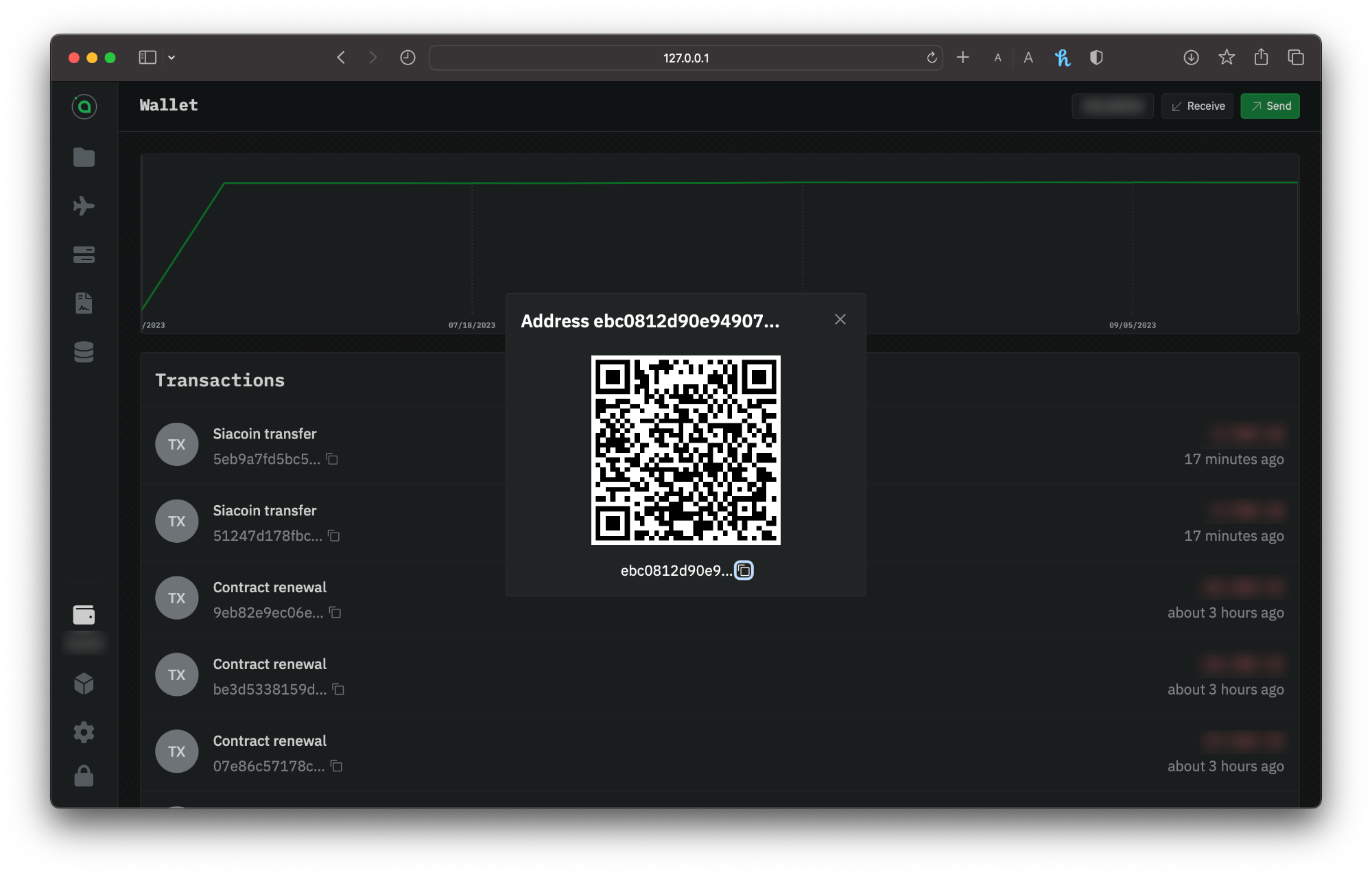
Copy and paste your address manually, or use the **Copy** button to the right to ensure you get the full address without any extra spaces, and provide this address to whomever you're receiving the funds from.
You can also receive Siacoins by sharing your QR code for others to scan.
Getting the address and QR of your renterd wallet
You can check the transaction status by going to your **Dashboard** and selecting the wallet you made the transaction with. It's normal for unconfirmed transactions to say **Unknown**. It means the transaction is coming but hasn't yet appeared in a block.
{% hint style="info" %}
The transaction might take a minute or two to appear in the wallet's transactions list.
{% endhint %}
Once it's in a block, you can check the status and see a new transaction type of **siacoin transfer**.
---
# Agent Instructions
This documentation is published with GitBook. GitBook is the documentation platform designed so that both humans and AI agents can read, navigate, and reason over technical content effectively. Learn more at gitbook.com.
## Querying This Documentation
If you need additional information that is not directly available in this page, you can query the documentation by asking a question.
Perform an HTTP GET request on the following URL with the `ask` and `goal` query parameters:
```
GET https://docs.sia.tech/store-your-data/setting-up-indexd/transferring-siacoins.md?ask=&goal=
```
`ask` is the immediate question: it should be specific, self-contained, and written in natural language.
`goal` is what the user is ultimately trying to achieve, the reason they need the answer. Sharing it helps GitBook give you a better, more relevant answer. A goal is most helpful when it describes the outcome the user wants rather than restating the question. For example, with `ask=how do I create an API token`, a goal like `automate deployments from our CI pipeline` lets GitBook tailor the answer to that use case.
The response will contain a direct answer to the question and relevant excerpts and sources from the documentation.
Use this mechanism when the answer is not explicitly present in the current page, you need clarification or additional context, or you want to retrieve related documentation sections.